
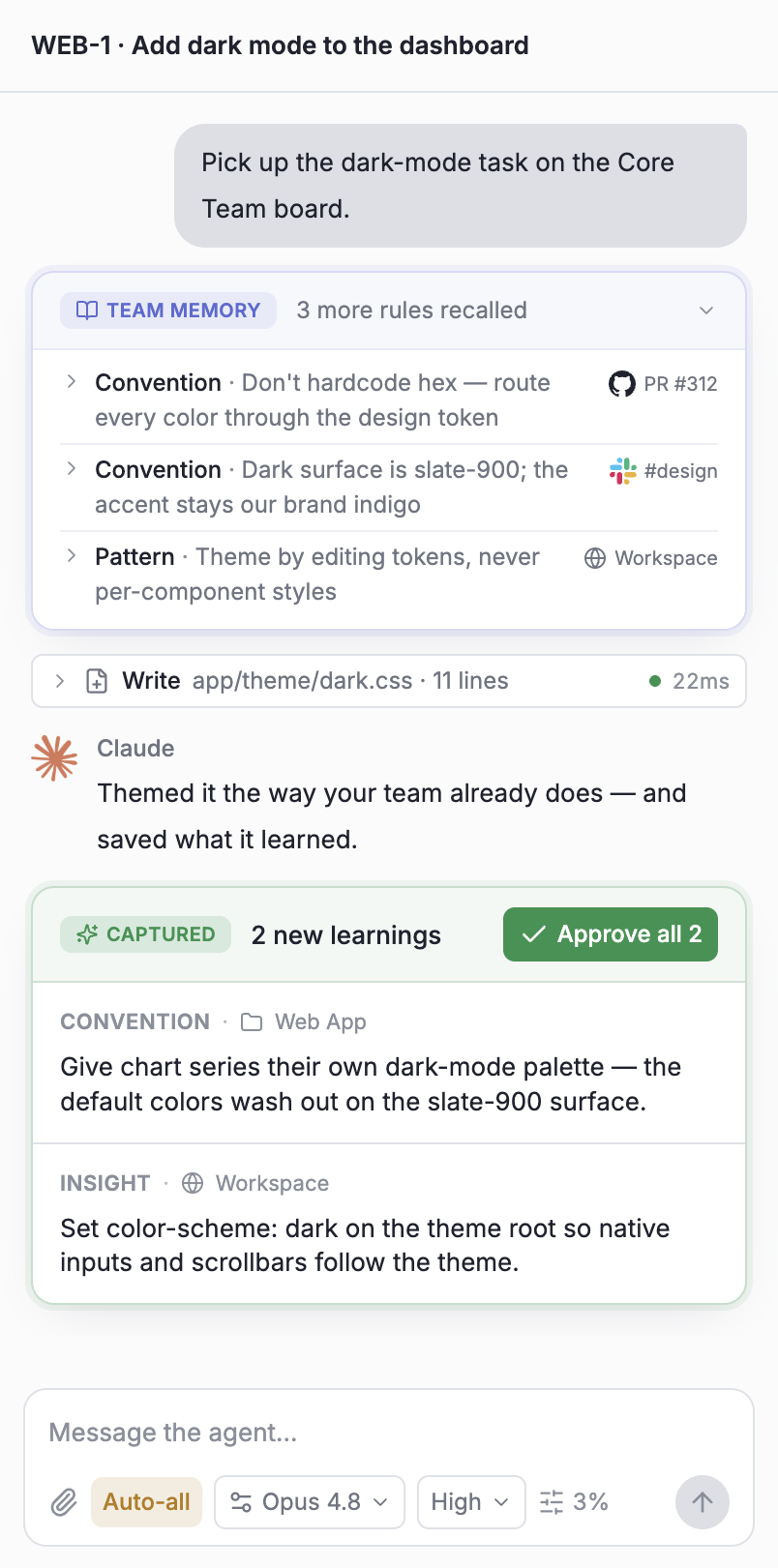
Claude
Themed it the way your team already does — and saved what it learned.
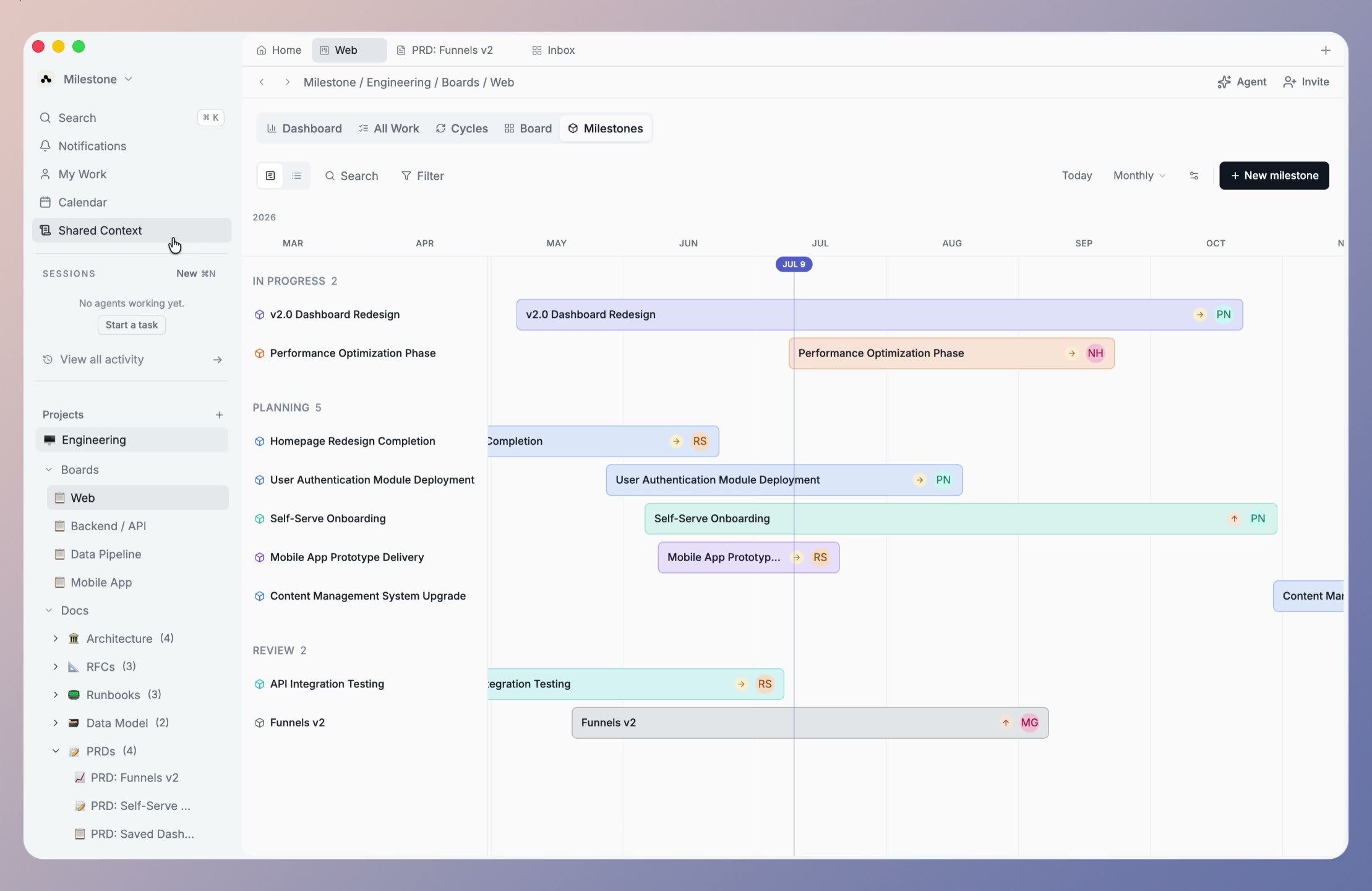
Milestone is project management for people and their AI agents, built on a knowledge graph - every decision, document, and task becomes shared memory your team and its AI can recall, so no one starts from zero.
Free during the design partner program · no card required. We'll only use your email to contact you about early access.
Works with the tools your team already uses
 Claude Code
How it works
01 · Plan
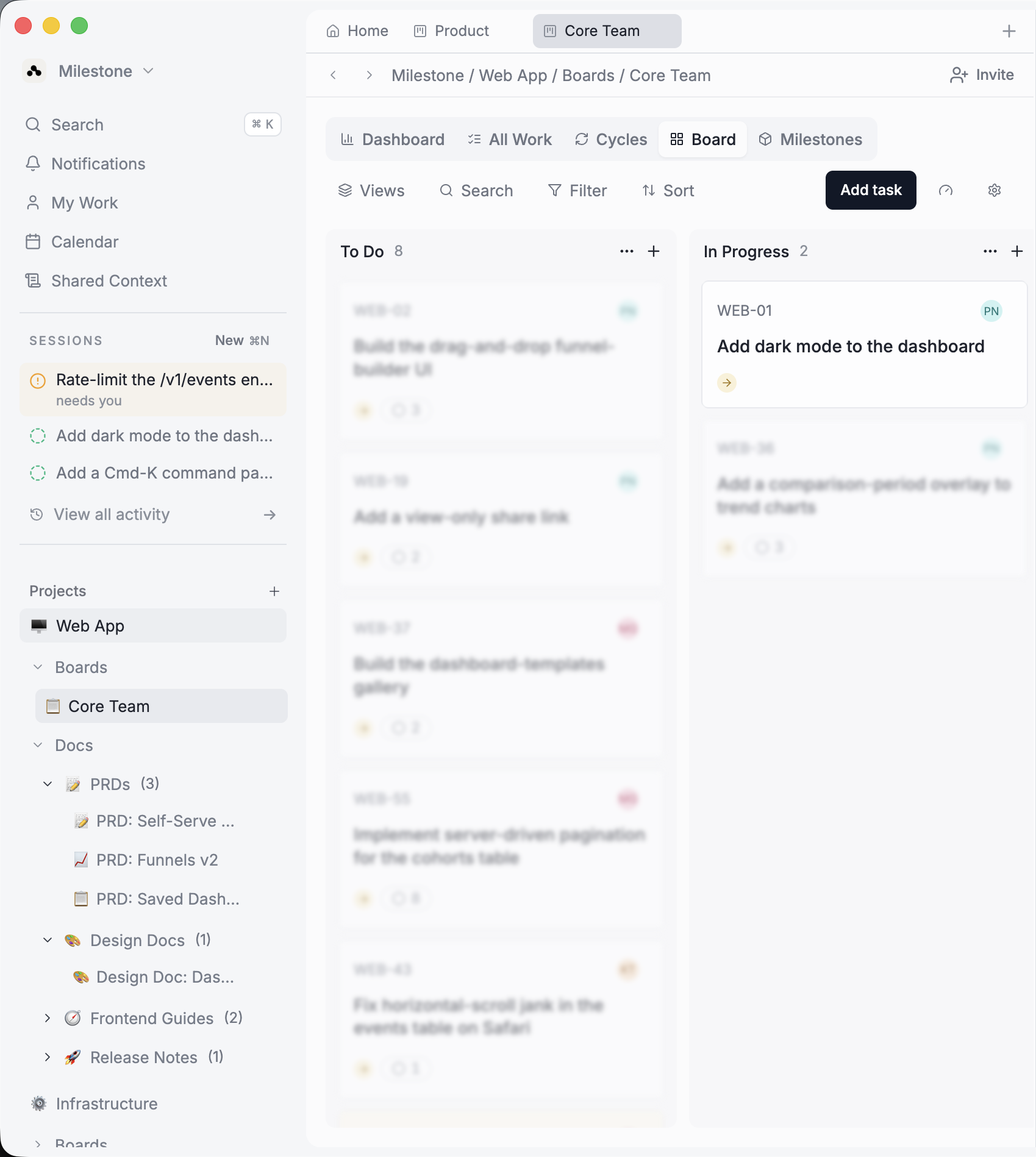
Plan on boards, write docs, cut sprints, and run AI sessions in one fast desktop app - for your whole team, humans and agents alike.
02 · Capture
As you and your agents work, Milestone surfaces the decisions and conventions behind the work as suggestions - the context you'd otherwise re-explain tomorrow, one approval from your team's memory.
Give chart series their own dark-mode palette — the default colors wash out on the slate-900 surface.
Set color-scheme: dark on the theme root so native inputs and scrollbars follow the theme.
03 · Remember
Once approved, every decision and lesson is linked into a shared knowledge graph - your team's memory, citing where it came from. No wiki to babysit.
04 · Compound
Milestone loads the graph before each session begins, so your agent already knows the project. The model didn't change - the memory did.
The difference
Any tool can hold what your team typed. Milestone's knowledge graph keeps the decisions you approved - linked to the work behind them, weighted by what actually shipped - and feeds that record into your agents at the start of every session. So they build on what worked, instead of guessing.
New decisions, conventions, and gotchas surface as suggestions - a teammate approves each one before it enters the graph. Nothing lands silently.
Every node links to the work that produced it, so you can trace any decision back to the task, doc, and session behind it.
Your agent recalls the approach that actually shipped - pulled into its context at the start of a session, not a search box your team forgets to open.
A chat window guesses. Your graph has the receipts.
The context layer
Nothing enters your team's memory until someone approves it. Milestone turns the corrections your team makes all day - in sessions and in Slack - into rules you approve once, and every session follows.
Capture
In sessions and in Slack, the same corrections come up again and again. Milestone notices the pattern and turns it into one rule you approve once.
Distribute
+5 more · no deploy, no re-explaining
Approve once. It's live in every session - no deploy, no re-explaining.
Govern
Scope each rule by workspace, project, or board - so it stays where it belongs.
Audit
Every session shows exactly what was injected, and where each rule came from.
Connect
Claude Code GitHub Slack GitLabOne approved memory across Claude Code, Slack, GitHub, and your repos - reachable by any agent over MCP.
Pricing
Milestone is in its design partner program - a small group of teams getting the full product, free, in exchange for shaping what we build next.
Free
while we’re in early access
Free for the length of the design partner program. Paid plans start at $12/seat/mo when we open to everyone — see all plans.
FAQ
Everything you need to know about Milestone and how it works.
Join a small group of teams shaping Milestone. Free during the design partner program - with a direct line to the founders.
Free during the design partner program · no card required. We'll only use your email to contact you about early access.